
TryHackMe Directory
Flags will be BOLD
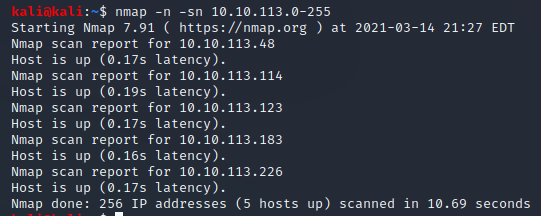
First lets find the IP in the subnet!
“nmap -n -sn 10.10.113.0-255”
“nmap -Pn -F 10.10.113.48,114,123,183,226”
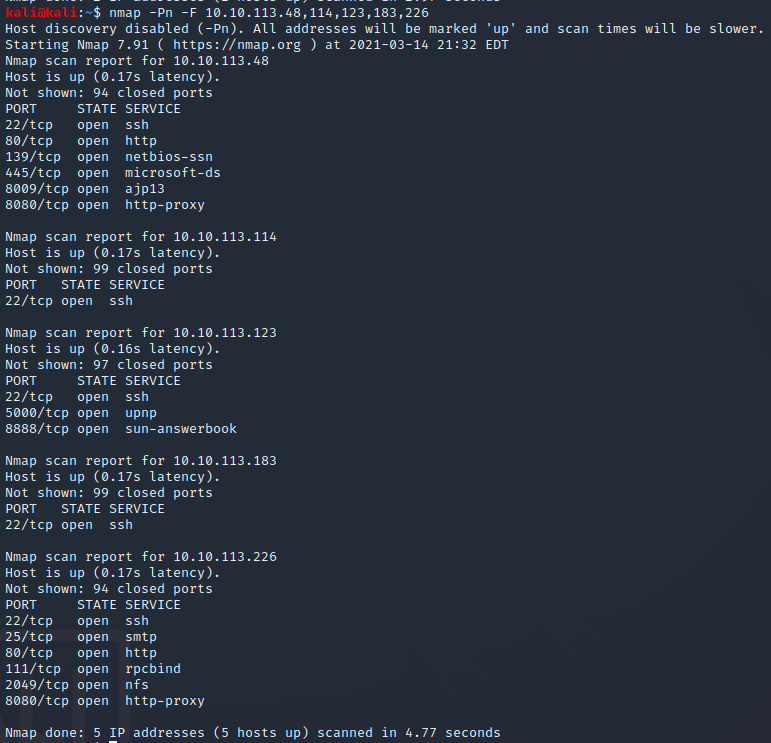
Now lets try to login with our ssh creds on ach IP since they all have SSH
“ssh tryhackme@10.10.113.114”
“reismyfavl33t”
was the one to work for me
For this challenge we will play with some coding
First lets connect!
“ssh tryhackme@IP
Password “reismyfavl33t”
While it does not say it we need to change folders
“cd introduction” will put us in the right place
Now lets run some basic commands
”./intro” will show a bit of text
It asks if I want to print 333.5k characters (I definitely wont read it all)
at this stage it seems to want us to type
“aa”
This popped up with a “Analyze all flags staring with sym. entry0 (aa)
It now wants us to run “e asm.syntax=att”
It shows us “?” shows some information about commands
“a?” shows that the next command af1 analyzes functionsa?
it does not show anything about af1 however
“af1” makes me realize something is borked… lets run it back!
“exit”
“y”
“y”
“r2 -d intro”
now asks if we wanna play some chess!
I now realized that most of this is theory and reading for now
“ls”
we are now in task 4 after our reading
we need to get to the if-statment folder
“cd ./if-statement/”
“r2 -d if1”
lets run their other commands
“aaa”
“af1”
“pdf @main”
This did not work…
lets try again!
“exit”
“y”
“y”
“r2 -d if1”
“aaa”
“af1”
“pdf @main”
Now we are in the correct spot!
“db 0x55ae52836612”
“Cannot place a breakpoint on 0x55ae52836612 unmapped memory.See e? dbg.bpinmaps”
thats… not right is it?
Oh wait! our hex addresses are different like the instructions said they might be!
“db 0x557d0d604612”
“db 0x557d0d604618”
“dc”
“dr” will show the value of the registers”
“px @rbp-0x4”
Now this is not going as planned… lets try it with our flags that we need!
“exit
y
y”
“ls”
“r2 -d if2”
“aa”
“pdf @main”
alright
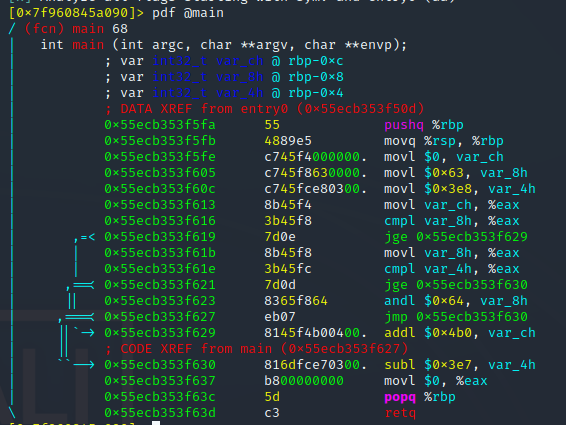
We see that I need to put a stop at 0x55ecb353f637 to find the value of var_8h before popq
“db 0x55ecb353f637”
“dc”
We now use “px @rbp-0x8” since we need that var (var_8h)
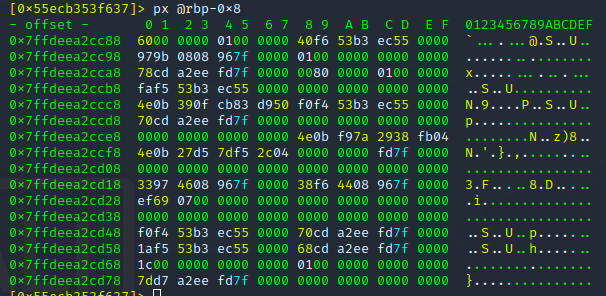
We can see here that the offset is 60; If we convert this on any website such as
60=96 in decimal
96 is the answer to Task 4 # 1!
for #2 we need to check (var_ch)
“px @rbp=0xc”
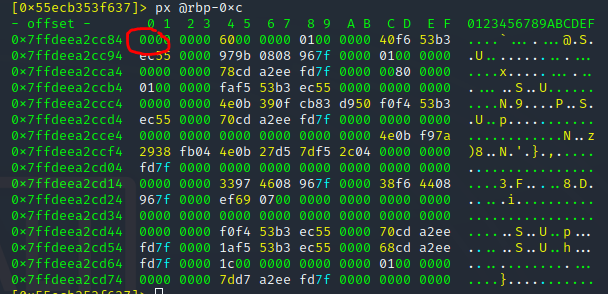
This shows “00” as the offset which is 0 for #2!
For #3 we need to check (var_4h)
“px @rbp-0x4”
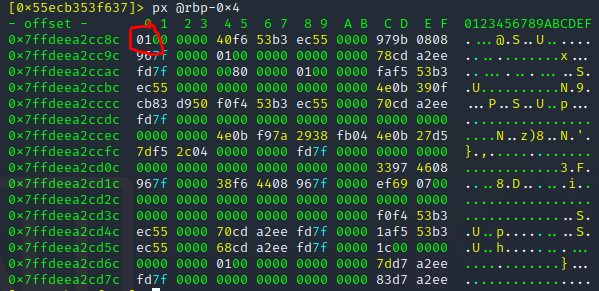
This shows “01” which is just 1 for #3!
For #4 we already have the info

& (and) is the sign used for #4!
we can now leave with
“exit”
“y”
“y”
Time for Task 5!
For this Task we need to go to the loops folder
“cd”
“cd loops”
“r2 -d loop1”
“aaa”
“af1”
Now it wants us to set a break at the jump instruction location
For me that was
“db 0x55bf4fd8a613”
“ds”
(I later realized I did ds not dc)
“pdf @main”
This was the point it stopped working well so lets just jump to the challenge!
“r2 -d loop2”
“aaa”
“af”
“pdf @main”
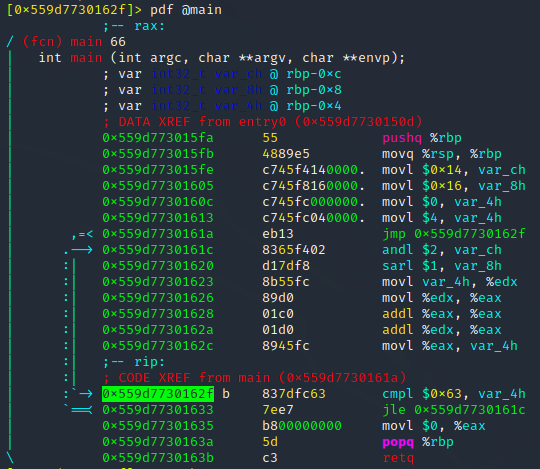
For #1 we need to find out the value of (var_8h) on the second iteration of the loop
“db 0x559d7730162f” breakpoint @ cmpl value
“dc”
“dc”
“dc”
We have to run it 3 times due to an unconditional jump for the firstr loop
“pdf @main”
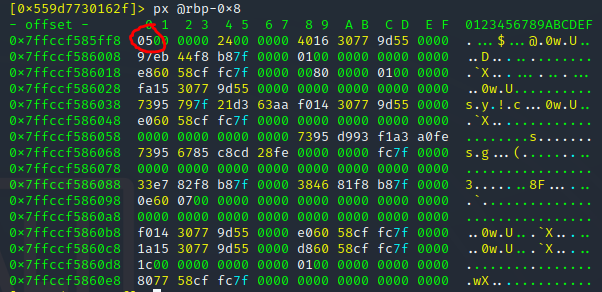
Our value is “05” which is 5 for #1
#2 needs the value of (var_ch)
“px @rbp-0xc”
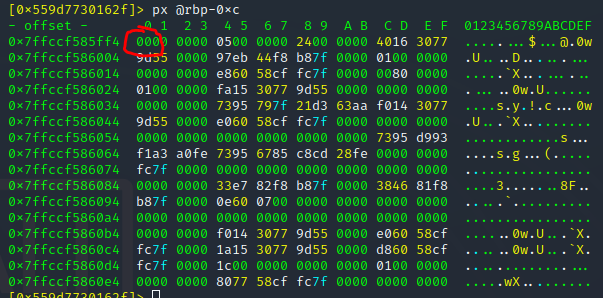
0 is our answer for #2
Now we need to get t o the end of the program!
“dc”
“dc”
We did not have any breakpoints so lets see if we are done by checking for our answers
“px @rbp-0x8”
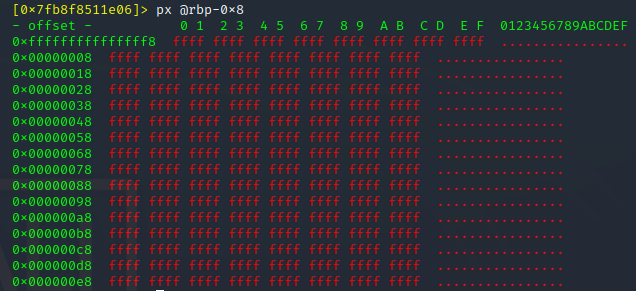
Uhhhh… Red is bad right?
“exit’
“y”
“y”
“r2 -d loop2”
“aaa”
“pdf @main”
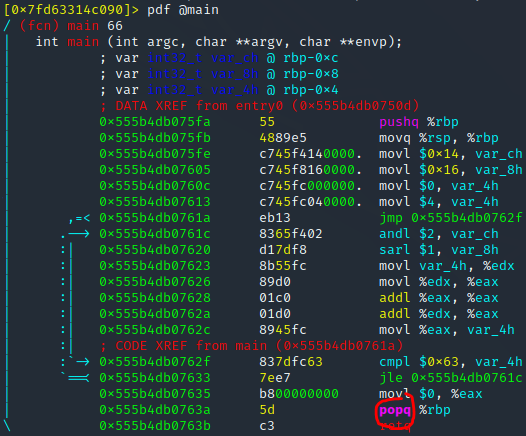
For questions 3 and 4 we need to get to the end of the program
Lets plop a break in at the popq since I think that retq in red was the issue
“db 0x555b4db0763a”
“dc”
“px @rbp-0x8”
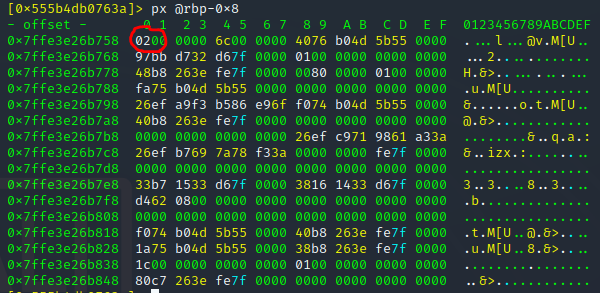
02=2 for #3
Now for the final part of task 5
“px @rbp-0xc”
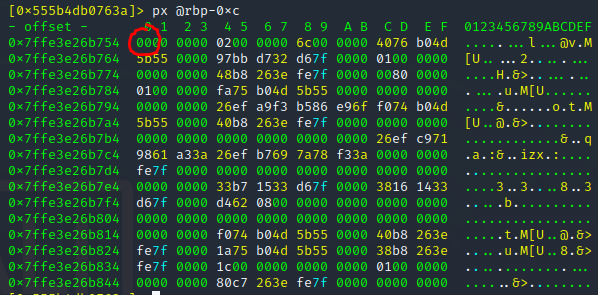
Would you believe me if I said it worked? 0 is the answer to #4
“exit”
“y”
“y”
“cd”
Time for Task 6!!!!
Now we get to test what we have learned
“cd crackme”
“r2 -d crackme1”
“aaa”
“pdf @main”
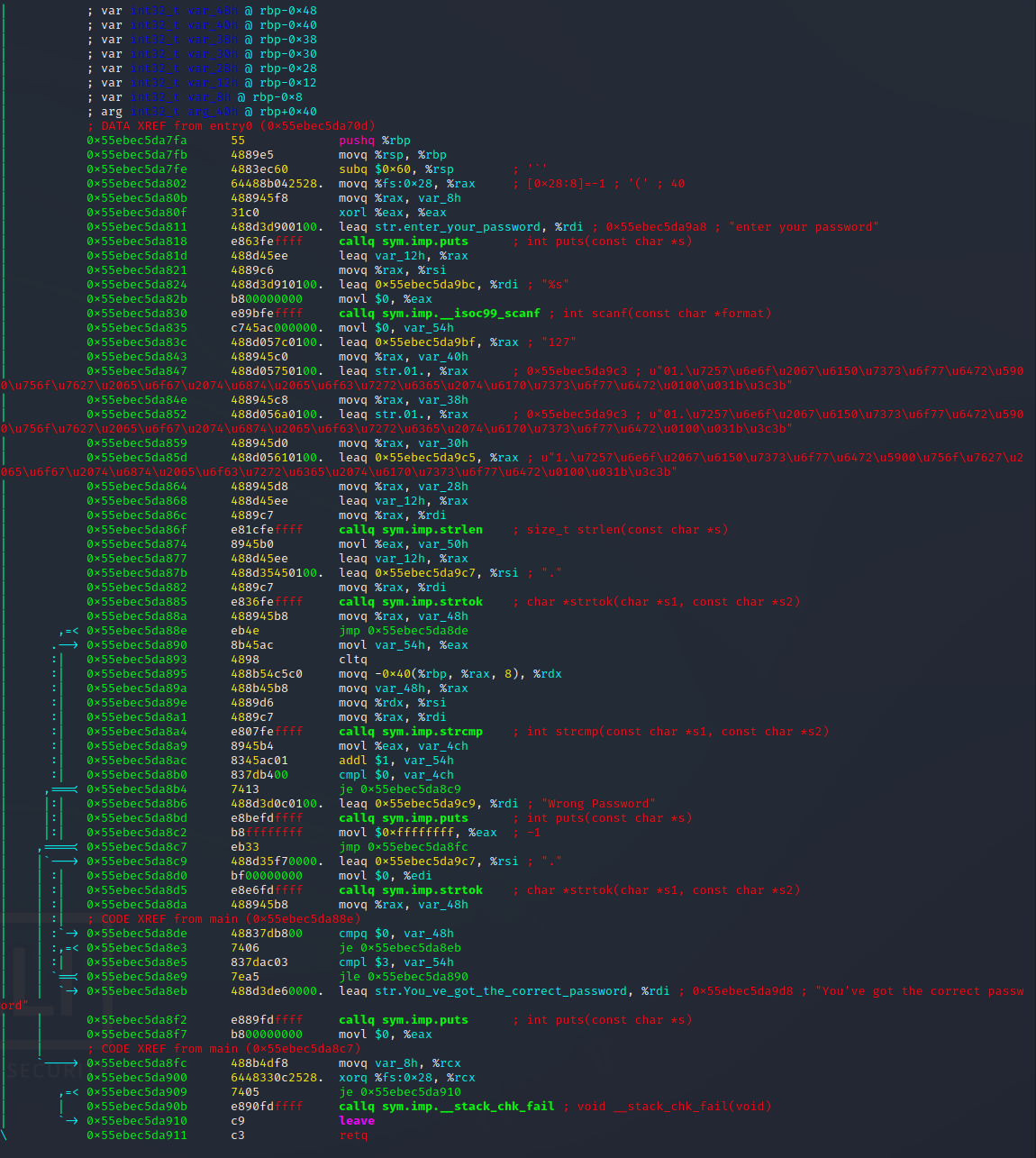
Lets put a break in right before the wrong password message
“db 0x55ebec5da8b4”
“dc”
I put in a blank password and then hit the break
Lets check some of the variables
(nothing worked)
Lets look further at this
Lets try @ the Wrong password spot
(I had to reload the code)
“db 0x563b599378b6”
“dc”
“pdf @main”
Now lets check some more variables
“px @rbp-0x54”
This shows my password!
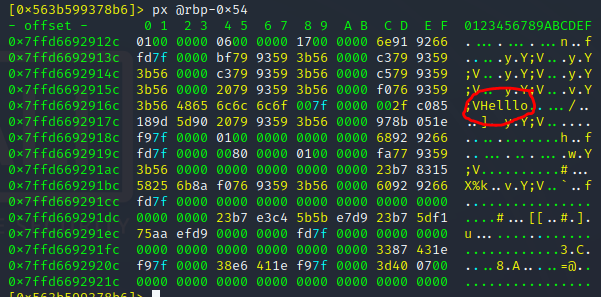
Lets keep trying the list
“px @rbp-0x50”
(only saw my password)
Lets go to that bold call above us
(restarted the code again)
“pdf @main

“db 0x55ffe0cf38a4”
“dc”
“pdf @main”
Lets check the variables again
“px @rbp-0x54” (fails across the board only my password)
After a day of thinking and some help lets try again since from what I learned we were very close!
“cd crackme”
“r2 -d crackme1”
“aaa”
“pdf @main”
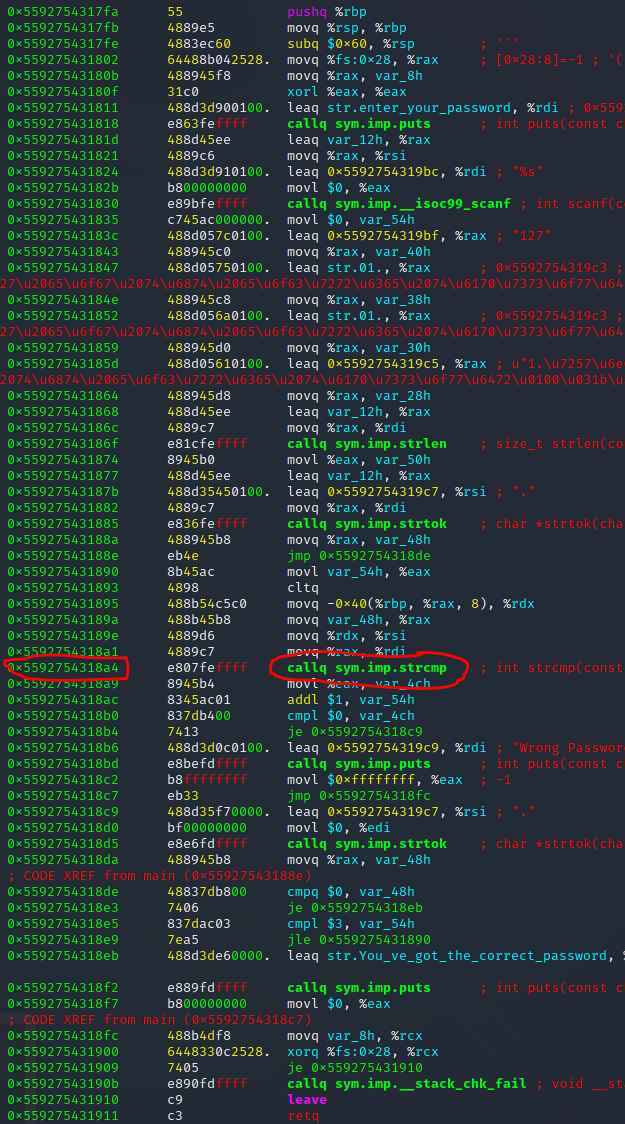
We are going to try at the same place as before!
“db 0x5592754318a4”
“dc”
Lets check in on those variables named rsi, rdi and rax
“px @ rsi”
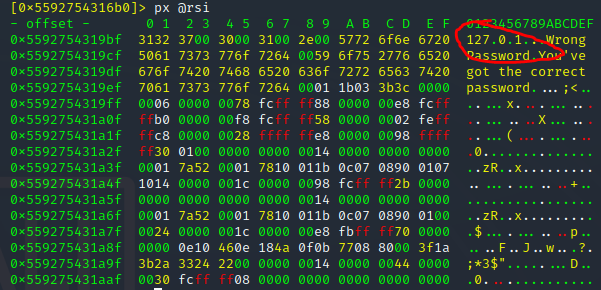
This shows 127.0.1 while our answer is ***.*.*.* lets try 127.0.0.1
I assume I was one step to little or maybe to far but I tried again with the sam result even with doing 4 breaks at each step before this one
Task 7!
“r2 -d crackme2”
“aaa”
“pdf @main”
This shows a file in the home directory!
“exit”
“y”
“y”
“cd”
“cd install-files”
“cat secret.txt”
After reading is discord of the text being backwards I knew to quickly what it was

dwperuc3sv for Task 7!
We are done… Beaten and broken but we are done.
TryHackMe Directory